On September 6, 2026, I completed the first release of C# (with netcoredbg) 2.148.23001 in the vscode-csharp-autobuild repository I maintain. I published packages for Windows, Linux, Alpine Linux, and macOS on both x64 and ARM64 to Open VSX, then confirmed that the public downloads matched the hashes of the validated VSIX files. The first release includes the source versions of the C# extension and netcoredbg, platform-specific packages, and validation records.
This article covers the existing community’s contributions, the motivation for using AI in this project, compatibility validation across eight platforms, and recovery after interrupted publishing. The scheduled workflow now handles everything from source builds to verification of public downloads when it finds a new version. If a problem occurs, it stops publishing that candidate. I also describe a possible follow-up development tool informed by this release.
I begin with the reasons for creating a separate extension, then explain platform compatibility problems and the scope of testing. The later sections cover version mapping, operational problems during the first publication, and cleanup of experimental workflows. Finally, I outline an idea for .NET development tools based on VS Code OSS. All support claims and execution results in this article refer to the first release on September 6, 2026.
A Separate Extension ID That Preserves the Existing C# Distribution
The repository has been building Microsoft’s C# extension from source and publishing it to Open VSX automatically. This distribution covers the C# extension, excluding C# Dev Kit. It adjusts publishing metadata and the build environment while preserving the upstream extension’s behavior and debugger implementation.
Publishing the C# extension’s source and permitting use of its bundled debugger are separate matters. Microsoft’s vsdbg documentation describes the debugger as proprietary and restricts its use to Microsoft IDEs. Moving the extension to Open VSX alone therefore does not resolve debugger restrictions in VS Code-derived editors.
Preserving upstream behavior as closely as possible remains valuable in the existing distribution. I created a separate extension ID so that users could choose the debugger replacement without changing the existing package’s behavior.
| Distribution | Extension ID | Behavior preserved or changed |
|---|---|---|
| Existing C# distribution | dotnetdev-kr-custom.csharp | Preserves upstream extension behavior and debugger implementation |
| C# (with netcoredbg) | dotnetdev-kr-custom.csharp-with-netcoredbg | Replaces the coreclr debug adapter with netcoredbg built from source by this repository |
The community project muhammadsammy/free-vscode-csharp has already integrated netcoredbg to provide a C# development environment for VS Code-derived editors. I consider the alternative it established and the contributions behind it historically valuable. I have deep respect and gratitude for muhammadsammy and the contributors who have published and maintained that alternative as a usable extension.
I started this project to bring developments in the rapidly changing .NET ecosystem to more people and help them experience those developments in their own editors. I used AI for research, implementation, and failure analysis while building a release process that reduces repetitive maintainer intervention. This first release turned that intention into packages for eight platforms and an automated validation process.
The focus of this distribution is to connect source builds for each tag, validation across the full platform matrix, and publication under a separate extension ID while continuing the upstream-preserving distribution. Its distinction from the existing community extension lies in that distribution purpose and operational structure. Scripts and tests developed with AI assistance run the scheduled releases. When validation fails, the maintainer reviews the logs and responds.
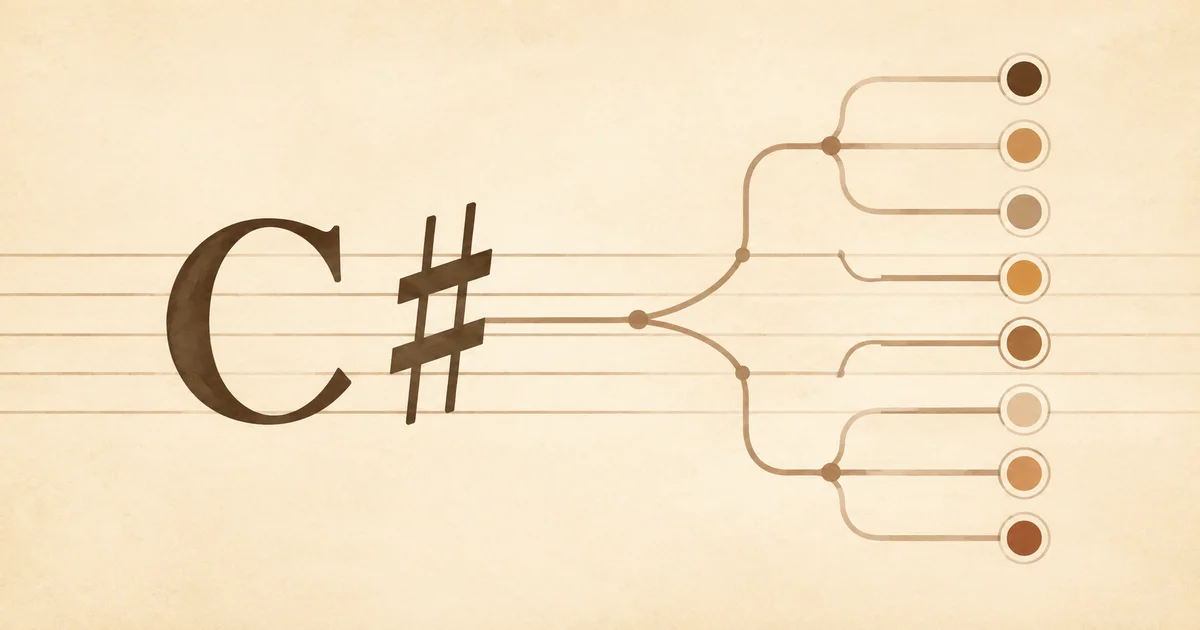
I also chose the name C# (with netcoredbg) instead of the Samsung wording initially considered. The icon places C and # on a light brown musical staff. Project origins remain in the description and notices, while the branding avoids implying an official distribution or sponsorship relationship. The distribution and packaging policy records the roles of the two extensions.
Preserving Original Source While Maintaining External Compatibility Code
The initial plan was to fetch a new netcoredbg tag, build it for each platform, and connect the results to the C# extension. The MIT license for netcoredbg permits copying, modification, and distribution subject to retaining its copyright and permission notices. The packages also preserve notices for the libraries they include.
I checked source preservation through file hashes. Comparing SHA-256 values before and after each build confirmed that all 498 Samsung input files remained unchanged on every native target in the first release. Intermediate outputs, test projects, and compatibility code live outside the original source tree.
Automating builds did not eliminate differences between compilers and runtime environments. On Windows, native and managed builds shared intermediate output paths and collided over NuGet assets files. Separating the native and ManagedPart builds and their output directories resolved that problem.
On Alpine, the debugger compiled but crashed while initializing the .NET runtime. Based on call stacks and reproduction results, I added external compatibility code that initializes CoreCLR on a thread with an explicitly allocated 8 MiB stack. This changes runtime behavior even though the original files remain untouched. The project therefore documents both source preservation and its responsibility for maintaining the compatibility code. The build troubleshooting record includes reproduction conditions and supporting evidence.
The C# extension also required code changes. An overlay applied to a temporary checkout adjusts the extension ID, display name, debugger download locations, adapter selection, SDK environment propagation, and packaging. Checks make the overlay fail if upstream code no longer matches its expectations. These changes are collected in the integration code. Replacing the debugger does not change the individual licenses or usage terms of the C# extension’s other components.
Debugger Behavior Failures Beyond a Successful Build
A macOS debugger that passed basic breakpoint checks still reported an incorrect exit code. The first validation program returned the normal exit code 0. Samsung’s VSCodeTestExitCode expected exit code 3 on macOS, but the debugger built at that point returned 0 through DAP. A test limited to normal exits could not reveal that problem.
DAP, the Debug Adapter Protocol, carries information such as breakpoints, stacks, variables, and process termination between an editor and a debugger. A process can terminate while the editor receives the wrong result if the reported exit code is incorrect.
I fixed the issue by linking an external library that observes process exit status on macOS. The fix worked with .NET 8, but .NET 10 required another adjustment. I confirmed that a .NET 10 runtime component used the waitpid$NOCANCEL entry point and covered that path as well. The same test then returned exit code 3 on both runtimes. The failing test remained in the validation suite, and the Darwin compatibility investigation records the results before and after the fix.
I expanded functional validation by adding 30 automated Samsung DAP scenarios to the eight checks in the project’s own fixture. The upstream tests retain their C# source and assertions, while external projects build them for .NET 8 and .NET 10. Separate scenarios classified for manual execution are excluded from the automated scenario count.
The first release exercised the following platform matrix.
| Operating system family | CPU targets | Runtimes exercised | Validation phases |
|---|---|---|---|
| Windows | x64, ARM64 | .NET 8.0.24, .NET 10.0.11 | After source build and after VSIX extraction |
| Linux glibc | x64, ARM64 | .NET 8.0.24, .NET 10.0.11 | After source build and after VSIX extraction |
| Alpine Linux | x64, ARM64 | .NET 8.0.24, .NET 10.0.11 | After source build and after VSIX extraction |
| macOS | x64, ARM64 | .NET 8.0.24, .NET 10.0.11 | After source build and after VSIX extraction |
Eight platforms, two runtimes, and two phases produced 32 validation combinations. Running the same scenarios immediately after building and again against the debugger extracted from the VSIX also checked behavior after packaging. The first release run passed every native build, VSIX packaging job, and post-extraction functional check on its first attempt. The later publishing failure is covered separately below.
DAP validation across the full platform matrix has a different scope from testing an editor’s actual UI. A separate installation check used VS Code 1.135.0 on macOS ARM64. These results do not establish coverage for every derived editor, including VSCodium, or for remote debugging, integrated terminals, Hot Reload, or the complete C# Dev Kit feature set.
The screenshot below shows execution paused at a breakpoint on line 7 of Program.cs, with local variables and the call stack visible.
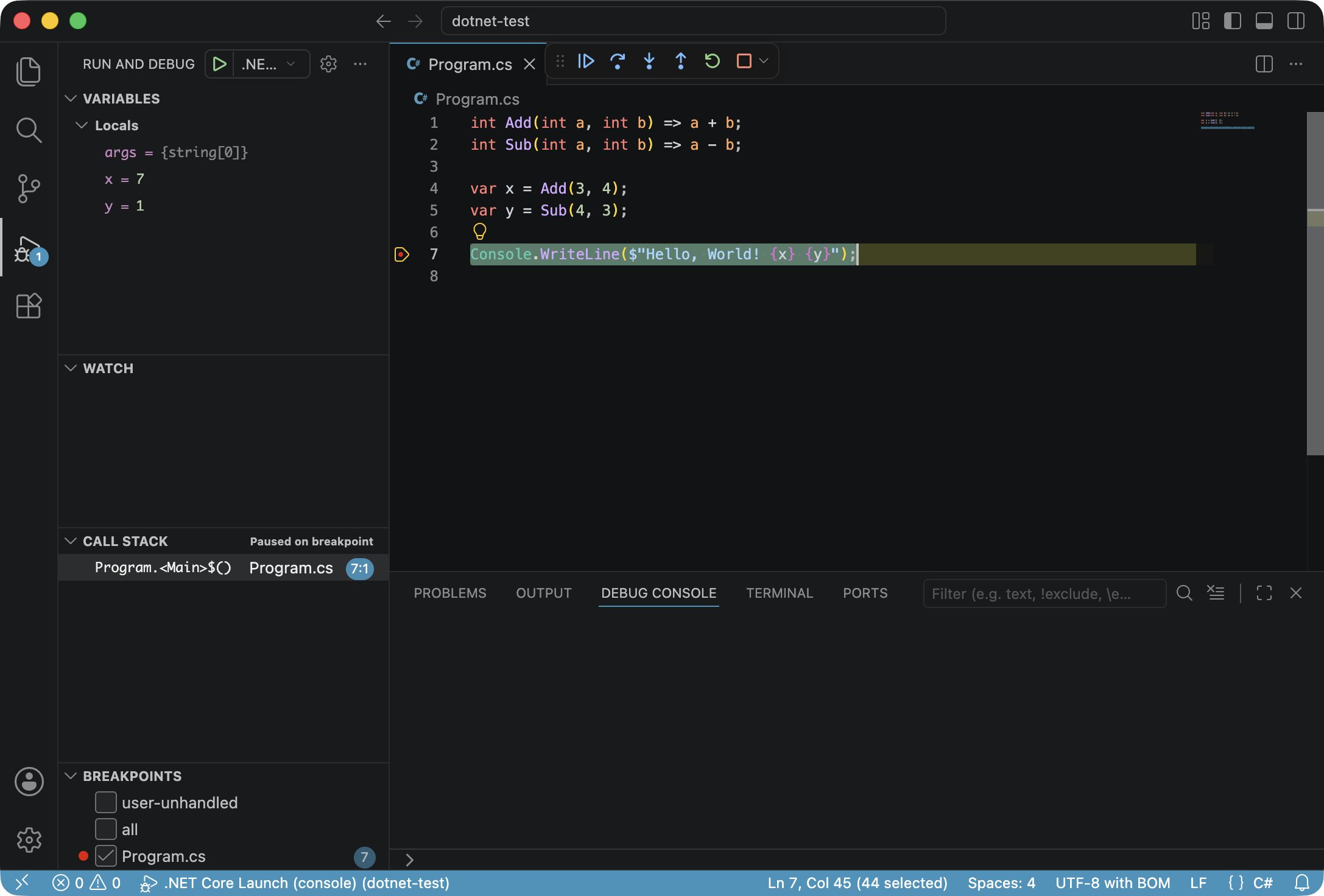
An actual debugging session with local variables x=7 and y=1 visible at a breakpoint
During the investigation, macOS startup delays and exception-stack tests also failed intermittently. Some reruns of the same candidate passed, but I have not established the root cause. The failure records remain available, and the same failures will block publication if they recur in a later candidate.
Release Records Linking C# and Debugger Versions
The installed extension version follows the C# extension’s version sequence. A packaging revision distinguishes new packages when only the debugger changes or packaging code needs an update.
The first release used the following inputs and outputs.
| Item | Value | What it records |
|---|---|---|
| Upstream C# tag | v2.148.23-prerelease | Source baseline for the language service and extension |
| netcoredbg tag | 3.2.0-1092 | Debugger source baseline |
| Packaging revision | 1 | Release distinction within the same C# version |
| Public VSIX version | 2.148.23001 | Version used by the editor for installation and updates |
The numeric patch component is calculated as upstream C# patch × 1000 + packaging revision. For this release, 23 × 1000 + 1 = 23001, producing 2.148.23001. The next revision becomes 2.148.23002; when the C# patch advances to 24, the sequence starts at 2.148.24001. Revisions from 1 through 999 are allowed. Exceeding that range fails the automated job.
GitHub release tags combine the C# version, netcoredbg tag, abbreviated debugger commit ID, and packaging revision. Manifests and package metadata preserve full commit IDs, build configuration fingerprints, validation run IDs, and file hashes. This lets an installed version lead back to the exact source and validated files without encoding every detail in the numeric version. The version calculation code and first release manifest show the actual mapping.
The upstream tag’s -prerelease suffix remains in the records. Assigning a numeric VSIX version does not change the prerelease status of the upstream source. Draft releases staged for publication and completed releases reserve their revision numbers. Validation-only runs do not consume a revision.
Publication Delay and Draft Visibility During the First Release
The first Open VSX upload failed after all functional checks had passed. The publishing tool acknowledged receipt of the Windows x64 package, but the public metadata request immediately afterward returned HTTP 404. The publishing code assumed the public file would be available immediately and stopped the run.
About four minutes later, the same Windows x64 package version was available at its public URL. The Open VSX publishing implementation handles some work, including file storage and checks, asynchronously and does not expose a version until activation completes. I changed the publishing process to check upload acceptance and public download availability separately.
The updated publisher submits each missing platform once, then waits for public availability. A shared 15-minute deadline starts after all uploads have been submitted. The publisher downloads the public files and compares their SHA-256 hashes with the validated VSIX files. A timeout or content mismatch fails the run. It does not repeatedly upload the same files while waiting for them to become public.
Before the first upload, a GitHub draft release stores the files needed for recovery. It preserves 19 assets: eight debugger archives, eight VSIX files, a validation manifest, a release manifest, and an archive of validation evidence. If publishing stops after only some platforms become public, the next run restores the files from the draft and compares the hashes of already-public packages. It skips matching platforms and resumes publishing the rest.
The first recovery attempt revealed another problem. The discovery job’s contents: read permission could read public releases, but private drafts did not appear in the list. The GitHub releases API documentation explains that only callers with push access can see draft releases. After I granted contents: write to the discovery job, it could find the preserved first release. Build and packaging jobs retain read-only repository permissions.
The recovery run then published the remaining seven platforms using the first release’s existing version and files. It finalized the GitHub release at 21:57:19 Korea Standard Time on September 6, 2026. The already-public Windows x64 package was neither rebuilt nor uploaded again. A separate download check also confirmed that all eight platforms matched their original validation hashes. The first publication and recovery record preserves the state at failure and the recovery results.
Unattended Releases and Ongoing Maintenance
Scheduled releases run every six hours on the default branch, main. The workflow checks C# and netcoredbg tags and starts full validation when it finds a new combination of source inputs or build settings. It skips completed combinations and prioritizes recovery if an interrupted publication has left a draft. Every stage runs on GitHub-hosted runners, so neither a local terminal nor this working session needs to remain open. The scheduled release workflow provides the entry point.
The operating policy centers on failed Actions runs and their evidence. A mismatch in functional checks, file hashes, or platform results stops publication of that candidate. A later cycle can reconsider failed inputs, and the maintainer investigates using the logs. Notifications follow the maintainer’s GitHub settings; the project adds no separate notification server or quarantine queue. Token validity, service outages, and GitHub’s rules for scheduled-run delays and inactive repositories remain operational considerations.
Publishing multiple platforms to Open VSX is not a transaction that either succeeds or cancels as a whole. Some platforms can become public first, so the process preserves the original validated files and resumes publication. There is no automatic rollback. Fixes for functional problems discovered after publication use a higher packaging revision. Withdrawing a release also does not automatically revert files users have already installed. The recovery and rollback review documents those boundaries.
After the release, I removed the Windows-only validation and Alpine diagnostic workflows created during the experiments. The existing C# publisher, the new extension’s release entry point and internal validation workflows, and GitHub-managed Copilot jobs remain. Manual validation now uses the new release entry point with publication disabled. Research documents and formal release assets remain available after cleanup of temporary branches and the approved diagnostic run records. I recorded the workflow cleanup and closed issue #2 as completed.
A Possible Path Toward .NET Development Tools Based on VS Code OSS
Building on this release, I would like to start work on open-source .NET development tools based on VS Code OSS when an opportunity arises. C# Dev Kit’s development experience provides a reference for connecting solution and project navigation, builds, tests, and debugging inside the editor. Microsoft’s C# development documentation describes solution management and integrated testing through C# Dev Kit. I plan to begin by investigating which parts of those workflows can be assembled from open-source tools.
The status of that follow-up idea is recorded here with a reference date.
As of September 6, 2026, development of the follow-up tool has not started. Its start date and detailed feature scope will take shape through further evaluation.
The debugger integration and platform validation experience from this extension can provide a starting point. Connecting solution management and test execution will involve investigating the roles and licenses of existing open-source components and validating behavior in actual editors. I intend to use AI for research and implementation in that work as well, while basing released features and supported scope on execution results.
A Separate C# Distribution Within Its Verified Scope
This project turns an AI-assisted effort to make current .NET development environments more accessible into a working release, with gratitude for the alternatives the community has established. It connects upstream C# extension and netcoredbg sources to a repeatable process for publishing validated platform packages. The first release record preserves functional checks, public download verification, and remaining limitations.
The package is available as C# (with netcoredbg) on Open VSX. Users who prioritize preserving upstream behavior can continue using the original distribution. Those choosing the netcoredbg variant can assess it against the documented platform and feature coverage. Immediate maintenance will repeat the same validation as tags, runtimes, and compilers change and investigate failures. The VS Code OSS-based development tool remains a longer-term idea for a future opportunity, while this extension will continue within its published support scope.
